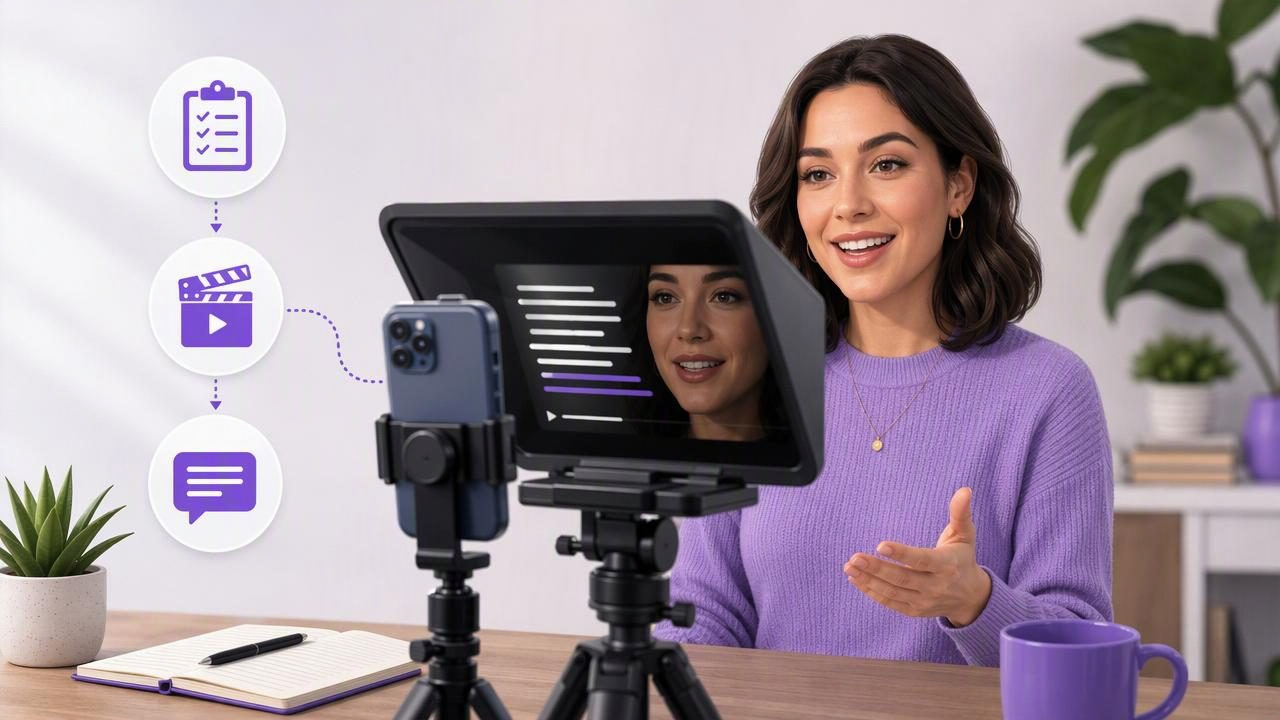
Social media managers are often expected to create a steady stream of short-form videos while juggling content calendars, approvals, brand messaging, analytics, and community management. A video teleprompter can make this workload more manageable by helping you deliver approved messaging directly to camera without memorizing every line.
The goal is not to sound like you are reading. The goal is to create clearer, more consistent social content with fewer retakes. Used well, a teleprompter supports natural eye contact, a reliable pace, and a repeatable script-to-video workflow for Reels, TikTok, YouTube Shorts, LinkedIn clips, product updates, and internal communications.
This video teleprompter guide for social media managers explains how to write teleprompter-friendly scripts, set up an iPhone recording session, choose a scrolling method, and create usable footage without turning every post into a long production.
Why Social Media Managers Benefit From a Video Teleprompter
Many brand videos include information that needs to be precise: campaign dates, discount terms, feature names, event details, legal wording, calls to action, and approved positioning. Improvising can work for casual content, but it can also lead to missed details or extra review rounds.
A teleprompter gives you a visible script near the camera lens. Instead of looking down at notes or repeatedly stopping to remember the next point, you can keep your attention toward the audience. This is particularly useful when one person needs to record multiple versions of the same message for several channels.
- More consistent messaging: Record from an approved script rather than relying on memory.
- Faster retakes: Restart from a specific paragraph instead of recreating an entire explanation.
- Better camera connection: Reading close to the lens can reduce the appearance of looking away.
- Easier delegation: A teammate, founder, or subject-matter expert can follow a prepared script.
- More efficient repurposing: Use the same core message to record platform-specific versions.
A teleprompter does not replace a strong content strategy. It helps turn that strategy into a more dependable on-camera process.
Start With a Script Built for Speaking, Not Reading
The most common teleprompter problem begins before recording: the script is written like a blog post, press release, or slide deck. Social video scripts need to sound conversational when spoken aloud. Short sentences, clear transitions, and practical language are easier to deliver naturally.
Write the first sentence as a direct hook. Then make one main point, support it with a specific detail, and end with one action the viewer can take. Avoid putting several ideas in a single sentence just because they fit on the page.
A simple short-form script structure
- Hook: Name a problem, question, result, or relevant change.
- Context: Explain why the viewer should care in one or two lines.
- Value: Share the tip, update, example, or process.
- Call to action: Tell viewers what to save, try, comment on, or visit next.
For example, a social media manager promoting a webinar might write:
“Still planning your monthly content one post at a time? In our next webinar, we are showing how to turn one campaign idea into a week of short-form content. You will get the planning framework, examples, and a reusable checklist. Save your seat through the link in our profile.”
This is easier to read on camera than a formal paragraph describing every webinar topic. It also gives the editor natural places to trim or add visual cutaways.
Format Scripts for Smooth Teleprompter Delivery
Script formatting affects delivery speed. A dense block of text makes it harder to find your place, especially if you pause, correct a word, or need to record another take. Add visual breathing room before you begin.
- Keep paragraphs to one or two spoken thoughts.
- Put one sentence per line for quick scanning.
- Use plain language and contractions where appropriate for the brand voice.
- Spell out difficult acronyms or write pronunciation notes in brackets.
- Mark emphasis with bold text, capitalization, or a simple cue such as [pause].
- Place the call to action on its own line so it is not rushed.
Do not try to make the scrolling text carry every production instruction. Keep visual notes separate where possible. For example, write [show dashboard screenshot] in a producer copy, but remove it from the on-camera version if it will interrupt the speaker.
Match Script Length to the Platform and Delivery Pace
Words per minute vary by speaker, complexity, and the amount of intentional pausing. A calm, understandable delivery is usually more valuable than fitting extra information into a short clip. Start by reading your script aloud with a timer, then cut what does not improve the message.
| Video Type | Useful Starting Length | Typical Script Focus |
|---|---|---|
| Quick social tip | 15–30 seconds | One problem and one actionable idea |
| Product or feature update | 30–60 seconds | What changed, who it helps, and next step |
| LinkedIn thought-leadership clip | 45–90 seconds | A point of view with one supporting example |
| Educational explainer | 60–120 seconds | A concise framework or step-by-step process |
If a 45-second script takes 70 seconds to say naturally, do not simply increase scroll speed. First remove repeated claims, long introductions, and secondary details. Faster scrolling can make the speaker sound hurried and increase the chance of losing their place.
Set Up the iPhone for Natural Eye Contact
Camera placement matters as much as the script. Position the iPhone at or slightly above eye level. If the camera is too low, the speaker may appear to look downward even when reading near the lens. Use a stable tripod or support rather than holding the phone by hand for a scripted recording.
Keep the teleprompter text as close to the front camera as possible. Large text placed far from the lens can make eye movement more noticeable. A comfortable text size, narrow line width, and moderate contrast are often easier to follow than oversized words spread across the screen.
Run a short technical check before the full take
- Record 10 to 15 seconds of the opening lines.
- Watch it with sound on and look for noticeable eye movement.
- Check whether the speaker’s face is evenly lit and in focus.
- Listen for room echo, traffic, HVAC noise, or clothing rustle.
- Adjust the text size or camera height before recording the full script.
This short test is especially important when using a new room, external audio equipment, or a different iPhone setup. Audio and recording options can vary by device and configuration, so verify your actual setup rather than assuming every setting will behave the same way.
Choose the Right Scrolling Method for the Speaker
Different speakers need different teleprompter pacing. A social media manager recording their own regular updates may become comfortable with a fixed scroll speed. A company founder who pauses frequently or speaks with an unpredictable rhythm may prefer a method that follows their spoken delivery when supported by the device and language.
| Scrolling Method | Best For | Watch Out For |
|---|---|---|
| Fixed-speed scrolling | Short, rehearsed scripts with a consistent delivery pace | Text can get ahead if the speaker pauses often |
| Timed scrolling | Scripts designed to fit a specific duration | Requires a realistic rehearsal time |
| Voice-following tracking | Speakers who want to pause or vary their pace | Performance may depend on device, language, and recording conditions |
Whichever method you choose, rehearse the hook and the call to action twice. These are the sections most likely to feel rushed: the opening needs energy, while the ending needs enough space for a clear final instruction.
Record in Sections Instead of Chasing One Perfect Take
For many social posts, recording in sections is more efficient than demanding a flawless one-minute delivery. Divide a longer script into logical blocks: hook, key point one, key point two, and call to action. Leave a brief pause before and after each section so you have room to trim later.
This approach is useful when a video includes product screenshots, b-roll, graphics, or captions. The final clip can still feel cohesive, while the speaker only needs to focus on a few lines at a time. It also makes last-minute copy updates less disruptive. If the event date changes, you may only need to re-record the final call to action.
However, keep your framing, lighting, and voice level consistent between takes. A jump cut is common in social content, but abrupt changes in posture, lighting, or audio can distract from the message.
Use Captions as a Clarity Layer, Not a Script Replacement
Captions help viewers follow your video when they cannot listen to audio, but they should support the message rather than compensate for unclear delivery. Speak clearly, avoid talking over background music, and leave brief spaces between ideas. This makes captions easier to review and helps viewers scan the key points.
Always review generated subtitles before publishing. Brand names, technical terms, acronyms, names, and regional phrasing may need corrections. If you create multilingual captions, verify the meaning with a qualified reviewer when accuracy is important. Automatic captioning availability and language support can vary by app and device.
Create a Repeatable Weekly Recording Routine
The real advantage of a video teleprompter is consistency. Instead of setting up equipment for every individual post, batch related videos. For example, write three 30-second scripts on Monday, record them in one session on Tuesday, then schedule edits and approvals for the rest of the week.
Keep a simple record of what worked: text size, camera height, lighting position, speaking pace, and the number of takes needed. Over time, this becomes a practical internal playbook for anyone who appears on camera.
For an iPhone-based workflow, CueCam’s guide to recording video while reading a script offers additional setup context for combining a script with camera recording. Choose tools based on your team’s actual device, language, recording, and privacy requirements.
Final Checklist for Teleprompter Social Videos
- Is the script written in short, spoken sentences?
- Does the hook explain the value quickly?
- Is the iPhone camera near eye level and stable?
- Did you complete a short audio and framing test?
- Is the scroll pace comfortable enough for natural pauses?
- Did you record separate sections when the message became complex?
- Have you reviewed captions, names, dates, and calls to action?
A thoughtful teleprompter process helps social media managers spend less time memorizing lines and more time shaping useful, on-brand messages. With a well-formatted script, comfortable pacing, and a brief technical check, you can create more confident videos without making the workflow unnecessarily complicated.
