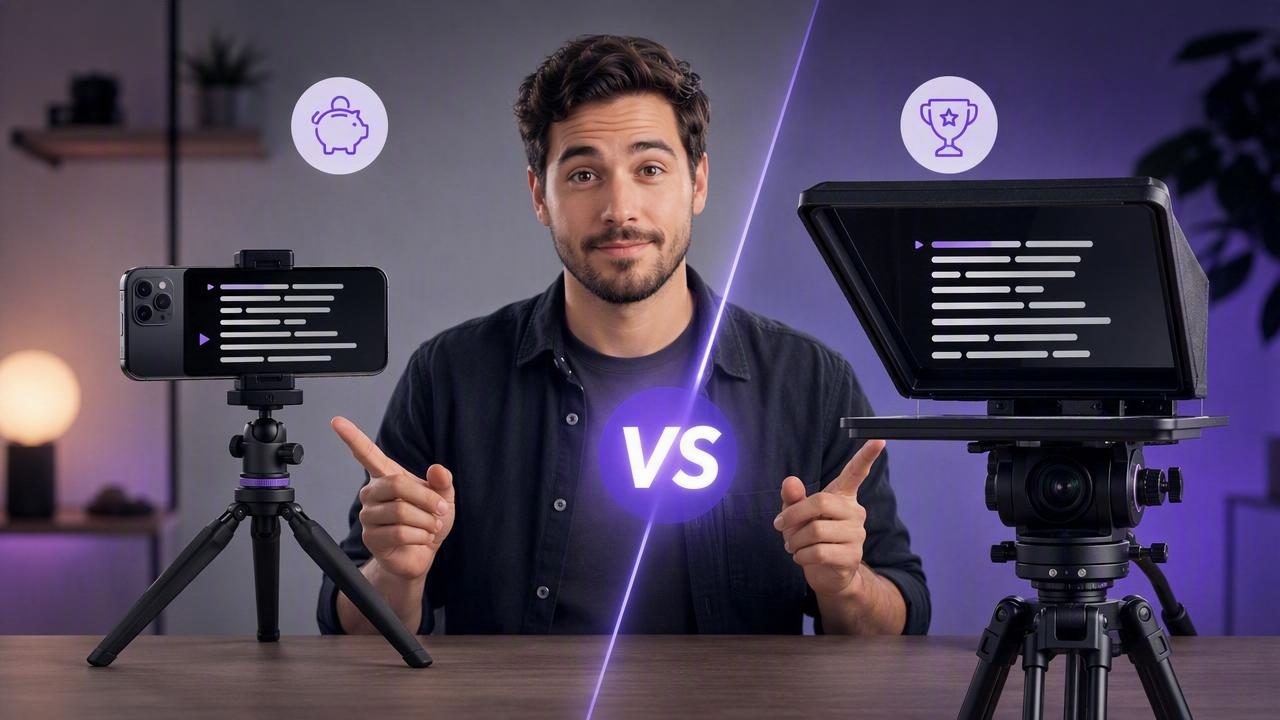
Choosing between an iPhone teleprompter app vs hardware teleprompter can shape every part of your video workflow, from how quickly you record to how naturally you deliver a script. Both options can help creators maintain eye contact, reduce retakes, and make scripted video feel more confident. However, they solve different problems and suit different production styles.
A hardware teleprompter uses a reflective glass screen placed in front of a camera lens. You read text reflected in the glass while looking directly into the lens. An iPhone teleprompter app, by contrast, displays your script directly on your phone while recording with the front-facing camera or supporting a compact mobile setup.
The best choice depends on your budget, camera requirements, filming location, production volume, and tolerance for setup time. This guide compares the two approaches in practical terms so you can choose a teleprompter setup that supports your content rather than slowing it down.
What Is an iPhone Teleprompter App?
An iPhone teleprompter app turns your phone into a script-reading and recording tool. Depending on the app, you can paste or import a script, adjust text size and scroll speed, and record video while reading. More advanced options may include voice-following scroll, timed scrolling, subtitle generation, video trimming, and export presets for social platforms.
This approach is especially useful for solo creators who record talking-head videos, tutorials, product explainers, short-form social content, online lessons, sales videos, and internal updates. The essential advantage is simplicity: your script, camera, microphone connection, recording controls, and sometimes editing tools can stay in one device.
What Is a Hardware Teleprompter?
A hardware teleprompter is a physical rig that typically includes a beamsplitter glass panel, a hood, a mounting frame, and a display device. The display, often a tablet or monitor, faces upward or downward toward the glass. The camera records through the glass while the presenter reads the reflected script.
This design is common in broadcast studios, professional interview sets, corporate productions, and shoots using mirrorless, cinema, or broadcast cameras. It keeps the presenter’s sightline close to the camera lens, even when the camera is positioned farther away.
Hardware teleprompters range from portable tablet rigs to large studio systems with dedicated monitors and remote control accessories. They can create excellent results, but they require more equipment, setup space, and technical coordination than a phone-based solution.
iPhone Teleprompter App vs Hardware Teleprompter: At-a-Glance Comparison
| Factor | iPhone Teleprompter App | Hardware Teleprompter |
|---|---|---|
| Initial cost | Usually low; uses an existing iPhone | Moderate to high; requires rig, glass, display, and mounts |
| Setup time | Often minutes | Usually longer, especially with a camera rig |
| Portability | Excellent for travel and quick shoots | Varies; larger rigs can be bulky |
| Camera options | Primarily iPhone cameras | Works with dedicated cameras and lenses |
| Eye contact | Natural at close range with good script placement | Excellent, especially from farther camera distances |
| Best for | Solo creators and mobile workflows | Studio teams and higher-end camera productions |
| Editing workflow | Can happen on the same device | Usually requires separate post-production tools |
1. Cost: The Most Obvious Difference
Cost is often the first decision point. If you already own a capable iPhone, a mobile teleprompter workflow can have a very low barrier to entry. You may need only a tripod, a phone mount, and an external microphone if audio quality matters. The phone handles script display and recording, limiting the need for additional gear.
A hardware teleprompter has a broader cost range. Small tablet teleprompters may be reasonably accessible, but a complete setup can also involve a camera, lens, tripod, monitor or tablet, mounting system, hood, cables, and possibly a dedicated operator. These costs make sense when the equipment supports recurring professional productions, but may be difficult to justify for occasional videos.
Best value for most individual creators: an iPhone teleprompter app. Best investment for established production environments: hardware, particularly when it will be used with professional cameras on a regular schedule.
2. Setup Speed and Workflow Friction
Fast setup matters more than many creators expect. A complicated setup creates friction, and friction can lead to missed publishing deadlines or fewer videos produced each month.
With a phone-based workflow, you can write or paste a script, mount your iPhone, connect a microphone, frame the shot, and start recording. For a creator filming several short videos in one session, this speed makes batch production realistic. It also makes spontaneous filming easier when a timely idea, customer question, or announcement needs a quick response.
Hardware teleprompters take longer to assemble correctly. The glass must be clean and positioned properly, the camera must be balanced behind it, the display must be mounted, and the text must be tested for readability. That extra time is not necessarily a disadvantage on a planned shoot with a crew, but it is less convenient for a creator recording alone at home or while traveling.
The best teleprompter setup is not always the most advanced one. It is the one you can reliably set up, use, and repeat.
3. Eye Contact and On-Camera Naturalness
Eye contact is the central reason to use any teleprompter. Viewers tend to perceive direct lens contact as more personal, credible, and engaging. But the quality of eye contact depends on screen placement, font size, scroll behavior, and the presenter’s delivery.
A hardware teleprompter generally provides the closest possible reading position because the script is reflected directly in front of the lens. This is especially helpful with a camera placed several feet away. At that distance, even small eye movements become visible, so glass-based prompting is often the stronger option for formal interviews, keynote-style content, and studio presentations.
An iPhone teleprompter app can also produce natural eye contact, particularly for close-to-medium framing. Keep the script near the camera area, use a readable but not oversized font, and avoid fast scrolling. Voice-following modes can be valuable because the script advances with your spoken pace rather than forcing you to match a fixed speed.
Regardless of your setup, write for speech. Short sentences, familiar language, and intentional pauses will look more natural than dense paragraphs read word for word.
4. Video Quality and Camera Flexibility
This category depends on your production goals. Hardware teleprompters have a clear advantage if you need to use a dedicated camera. A mirrorless or cinema camera may offer specific lenses, stronger low-light performance, shallow depth of field, professional monitoring, and advanced color workflows. If a production requires those tools, a hardware teleprompter keeps the script aligned with the camera lens.
However, modern iPhones are highly capable video cameras. For many social videos, course modules, vertical explainers, and business communications, an iPhone can deliver sharp, professional footage. Some creator workflows support 4K recording, high frame rates, stabilization, external microphones, and quick exports without transferring footage to another device first.
The practical question is not whether dedicated cameras are better in every technical situation. It is whether the additional quality, lens control, and production complexity are necessary for the audience and platform you serve.
5. Portability for Travel, Remote Work, and Small Spaces
An iPhone teleprompter app is hard to beat for portability. A phone, compact tripod, and small microphone can fit in a bag and work in a hotel room, office, client location, or small home studio. This is useful for consultants, educators, real estate agents, founders, coaches, and social media teams who need to record in changing locations.
Hardware teleprompters can be portable, but portability is relative. Even compact systems involve glass that must be protected, mounts that must be assembled, and more pieces that can be forgotten or damaged. They are usually best suited to controlled environments or productions where gear transport is already part of the plan.
6. Editing, Subtitles, and the Script-to-Video Process
A major difference between the two options is what happens after recording. Hardware teleprompters focus on prompting during the shoot. The footage then typically moves into editing software for trimming, captions, color adjustments, resizing, and export.
In contrast, many mobile tools support a more complete script-to-video workflow. After recording, you may be able to trim mistakes, resize the frame for vertical or horizontal platforms, clean up audio, replace a background, and generate subtitles. For creators who publish frequently, keeping these steps on the same phone can reduce file transfers and decision fatigue.
On-device subtitles are particularly useful for privacy-conscious workflows. If captions are generated locally, scripts and video files do not need to be uploaded to a cloud service simply to produce captions. This can matter for internal communications, unreleased campaigns, client content, and sensitive business updates.
Who Should Choose an iPhone Teleprompter App?
- Solo creators recording multiple videos each week
- Social media teams creating Reels, Shorts, or TikTok videos
- Course creators filming lessons in a home office
- Business professionals recording updates, pitches, and training videos
- Traveling creators who need a lightweight kit
- Anyone who values a fast, all-in-one creation workflow
This route is usually best when speed, portability, lower cost, and direct publishing matter more than using interchangeable lenses or a large studio camera setup.
Who Should Choose a Hardware Teleprompter?
- Production teams using mirrorless, cinema, or broadcast cameras
- Studios filming interviews, webinars, or executive presentations
- Creators who routinely shoot with the camera far from the presenter
- Organizations with a crew member available to run prompts
- Projects requiring a consistent, controlled studio look
Hardware is the better choice when camera flexibility and precision eye contact at longer distances outweigh the additional cost and setup time.
A Practical Decision Framework
Ask these five questions before buying or building a teleprompter setup:
- What camera do I need to use? If the answer is your iPhone, a mobile app is the logical starting point.
- How often will I record? Frequent publishing rewards quick setup and fewer moving parts.
- Will I film alone? Solo recording favors a simple, self-contained workflow.
- How far away is the camera? Longer distances favor a glass teleprompter.
- What happens after recording? If you also need subtitles, trimming, and social exports, prioritize an efficient end-to-end process.
Final Verdict: Choose the Tool That Helps You Publish
In the iPhone teleprompter app vs hardware teleprompter comparison, neither option is universally better. Hardware teleprompters deliver exceptional lens alignment and work naturally with professional camera systems. They are ideal for studios and structured productions where quality control and camera flexibility are priorities.
An iPhone teleprompter app is often the more practical choice for modern creators. It lowers costs, reduces setup time, travels easily, and can bring recording, subtitles, and editing into one streamlined workflow. If you want to test this approach, a privacy-focused tool such as CueCam can help keep scripts, recording, and on-device captioning together on your iPhone.
Ultimately, prioritize the setup that makes it easier to communicate clearly, maintain eye contact, and publish consistently. Great video is not only about equipment; it is about having a repeatable workflow that lets your message come through.
