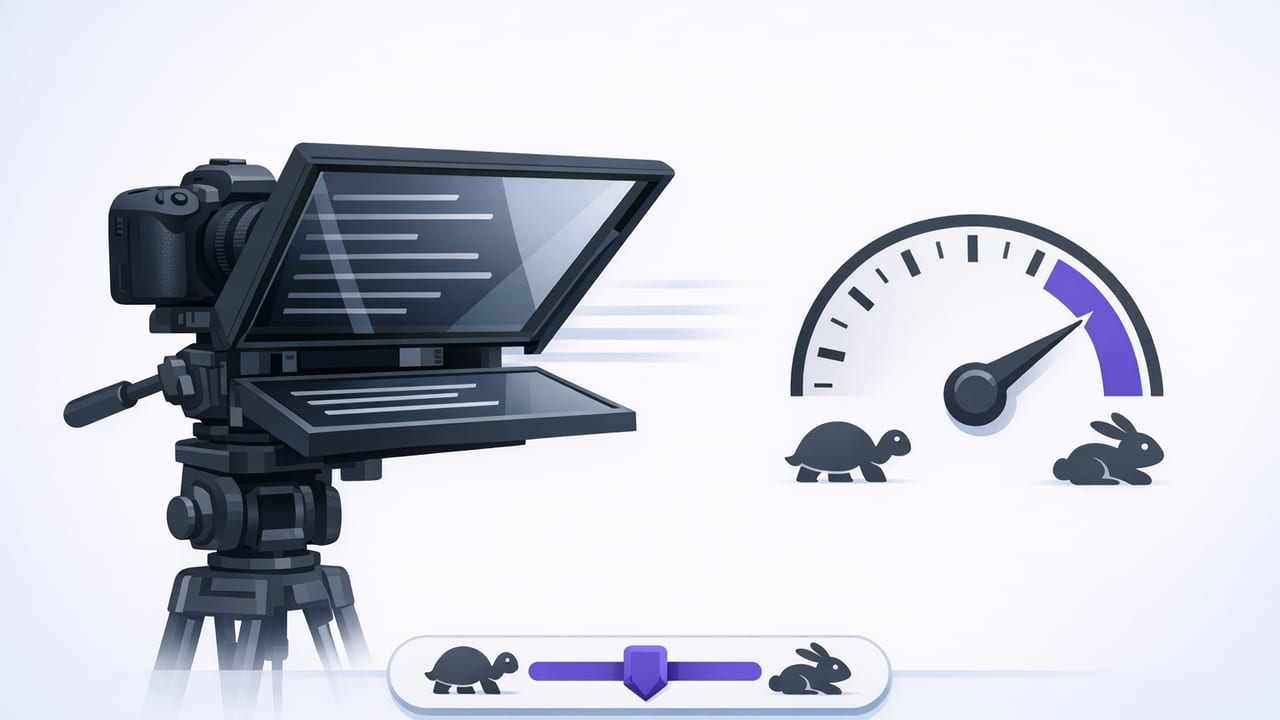
A fixed speed teleprompter is the most “set it and forget it” way to read a script on camera. Instead of tracking your voice or running on a countdown timer, the text scrolls at a steady pace you choose—and it keeps moving no matter what.
That predictability is exactly why fixed speed remains a favorite for creators who want consistent takes, clean pacing, and a workflow they can repeat across videos. In this guide, you’ll learn when fixed speed is the best choice, how to calculate and dial in the right speed, and how to set up an iPhone teleprompter workflow that helps you maintain eye contact while still sounding natural.
What a fixed speed teleprompter is (and what it isn’t)
With a fixed speed teleprompter, the scroll rate is constant—think of it like a conveyor belt for your script. You control the speed (often via a slider or numeric setting), and the prompter scrolls continuously until the end.
It’s different from two other common teleprompter modes:
| Mode | How it scrolls | Best for | Main downside |
|---|---|---|---|
| Fixed speed teleprompter | Constant scroll rate you set | Repeatable pacing, consistent takes, batch recording | If you pause, the text keeps moving |
| Voice-following | Scroll adapts to your spoken words | Conversational delivery, variable pacing, fewer “lost place” moments | May react differently in noisy rooms or with mumbled lines |
| Timed / countdown | Fits script into a target duration | Ads, reels, and strict time limits | Pressure to match the clock can sound rushed |
When fixed speed is the best choice
Fixed speed shines when you want the same pacing every time. It’s especially useful for:
- Batch recording: Your speed stays consistent across 10–20 videos, so the whole series matches.
- Educational content: Step-by-step tutorials benefit from steady delivery and fewer tempo swings.
- Teleprompter + pro camera setup: When you’re filming in 4K/60fps with external audio, you often want fewer moving parts—fixed speed keeps things simple.
- Team workflows: If multiple presenters read similar scripts, fixed speed offers a repeatable baseline.
- Accessibility: Some speakers prefer a constant rhythm rather than a system reacting to their voice.
If your delivery is highly improvisational (or you frequently pause to think), voice-following may feel more forgiving. But for creators who want reliable performance under production conditions, fixed speed is a workhorse.
The pacing formula: set fixed speed using words per minute (WPM)
The fastest way to set a fixed speed teleprompter is to base it on your comfortable speaking pace. Most creators land somewhere in this range:
- Slow / deliberate: 110–130 WPM (calm explanations, serious tone)
- Neutral / conversational: 135–160 WPM (most YouTube-style delivery)
- Fast / energetic: 165–190 WPM (short-form, hype intros, punchy scripts)
Quick method (2 minutes): find your baseline WPM
- Take a script paragraph of 120–180 words.
- Read it out loud at your “camera voice.”
- Time it (use a stopwatch).
- Calculate: WPM = (words / seconds) × 60.
Example: 150 words in 60 seconds → 150 WPM.
Then convert WPM into a teleprompter setting
Apps vary: some show WPM directly, others show a speed slider. If yours uses a slider, do this once and save your result as a preset:
- Set the slider to a medium value.
- Record a 15-second test read.
- If you consistently “catch up” to the text, slow it down. If you’re waiting for the next line, speed it up.
- Repeat until you feel slightly challenged but not rushed—this usually produces the most confident cadence on playback.
A practical speed map (use this as a starting point)
Use the table below to choose a starting point based on content type. Then fine-tune by 5–10 WPM increments (or small slider nudges).
| Content type | Suggested WPM | Notes for fixed-speed scrolling |
|---|---|---|
| Explainer / tutorial | 130–155 | Leave breathing room for clarity and emphasis. |
| Talking-head commentary | 140–165 | Conversational pace; add intentional pauses in the script. |
| Short-form hooks / intros | 165–190 | Keep sentences short; avoid commas that encourage long pauses. |
| Brand/read-style delivery | 125–150 | Clear articulation beats speed; prioritize clean audio. |
Script formatting that makes fixed speed easier
With a fixed speed teleprompter, your script must carry the pauses that voice-following would otherwise absorb. These formatting tweaks prevent the “runaway text” feeling:
1) Write for speaking, not reading
- Use shorter sentences.
- Prefer simple words over dense phrasing.
- Read it out loud once before recording.
2) Add intentional pause markers
You can embed stage directions that force you to slow down without losing your place:
[PAUSE] = one beat
[BREATH] = quick inhale
[SMILE] = lighten tone
These are especially helpful when the scroll is constant and you want your delivery to feel human.
3) Control line breaks
Line breaks are pacing tools. Break lines where you would naturally pause:
- After punchlines or key points
- Before a list
- Before a call-to-action
Tip: Avoid long paragraphs. On a phone-sized teleprompter, big blocks of text increase eye movement and make you look less connected to the lens.
iPhone setup tips for natural eye contact
Your teleprompter technique matters as much as your speed. To keep eye contact while reading:
- Raise the text closer to the lens: The smaller the distance between your eyes and the camera, the more natural you look.
- Increase font size: Larger text reduces side-to-side eye travel. You want your gaze to stay centered.
- Use generous line spacing: This improves scanning at speed and reduces misreads.
- Lock exposure/focus: Prevent brightness shifts mid-take that distract you and affect perceived quality.
- Use an external mic when possible: Clean audio makes slight teleprompter “reading” artifacts far less noticeable.
If your app supports recording in high quality (for example, 4K at 60fps) and stabilization, fixed speed works well because you can focus on delivery rather than managing scroll behavior.
Build a repeatable fixed-speed workflow (5-step checklist)
- Pick a speed preset: Start with your baseline WPM and stick to it for a whole batch.
- Run a 10-second calibration: Read a few lines and check playback for rush or lag.
- Record in sections: For longer videos, split the script with headings so retakes are painless.
- Do a clean pickup strategy: If you mess up, pause, repeat the sentence, and keep going. You can trim the mistake later.
- Add subtitles after: Captions improve retention; on-device subtitles are ideal if you want a privacy-focused workflow.
Troubleshooting: common fixed-speed problems (and fixes)
Problem: “The text outruns me whenever I emphasize a point.”
Fix: Add scripted pauses where you emphasize. Alternatively, reduce speed by 5–10 WPM and tighten wording so you don’t extend sentences unexpectedly.
Problem: “I sound robotic.”
Fix: Mark intent in the script (smile, downshift, build, whisper). A fixed speed teleprompter doesn’t prevent emotion—flat scripts do. Also vary sentence length: mix short lines with longer ones.
Problem: “My eyes look like they’re scanning.”
Fix: Increase font size, reduce on-screen width (narrower text column), and position the text closer to the lens. Consider slowing the scroll slightly—eye movement increases when you’re near your reading limit.
Problem: “I lose my place after a mistake.”
Fix: Use bolding for the first 2–3 words of each paragraph or section so you can re-enter quickly.
Optional: calculate your script duration before recording
If you like planning your takes, you can estimate duration using your WPM. Here’s a tiny snippet you can run anywhere that supports JavaScript:
// Estimate teleprompter read time
function estimateDuration(words, wpm) {
  const minutes = words / wpm;
  const seconds = Math.round(minutes * 60);
  return seconds;
}

// Example: 720-word script at 150 WPM
console.log(estimateDuration(720, 150)); // ~288 seconds (~4:48)
This is helpful when you’re planning segments, matching a target length, or deciding whether to cut lines before you film.
Fixed speed teleprompter FAQ
Is fixed speed better than voice tracking?
Neither is universally better. A fixed speed teleprompter is best when you want consistency and repeatable pacing. Voice tracking is great when your pacing varies and you want the scroll to adapt to you.
What’s the best fixed speed for beginners?
Most beginners do well at 130–150 WPM. Start slightly slower than you think, then increase once you can maintain eye contact without rushing.
Should I write differently for fixed speed?
Yes. Fixed speed rewards scripts that are written for speech: shorter sentences, clear beats, and intentional pauses. If you write like a blog post, you’ll feel like you’re sprinting.
Putting it all together
A fixed speed teleprompter works best when you treat it like a pacing instrument: measure your natural WPM, set a baseline, and shape your script so pauses are intentional instead of accidental. Once you do that, fixed speed becomes incredibly efficient—especially for creator workflows where you want consistent delivery, fast retakes, and clean editing.
If you’re building a privacy-first, on-device iPhone workflow that combines teleprompter reading, high-quality recording, and subtitles, an app like CueCam can fit naturally into that process—without making your scripts or videos leave your phone.
